Automate Pulse 1 Hub - Offline or App Unavailable
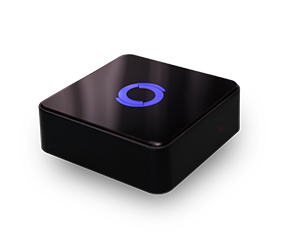
Please note that the Automate Pulse 1 has been discontinued and support may be limited
At this point the Pulse 1 has been discontinued for several years and as a result the app is losing support and servers are being shut down. Please contact your installer to upgrade to the new Pulse Pro as efforts to restore functionality will likely be unsuccessful.
Product info:
Pulse PRO - Automate US
Please note that Rollease Acmeda does not do direct sales and the best place to purchase this product is from your installer, other local retailers, or online.
Related Articles
Pulse PRO: Reconnecting When Offline [iPhone and Android]
If your Pulse PRO was previously set up but is now offline, don’t worry—this article will guide you through the steps to get it back online. First, check your network and make sure there are no issues. If your Wi-Fi credentials or Internet Service ...
Pulse PRO: Matter and Smart Home Platforms
Why Connect Your Pulse PRO to a Smart Home Platform with Matter? Pairing your Automate Pulse PRO to a smart home platform using Matter allows you to control your Automate motorized shades with voice commands, smart routines, and compatible devices. ...
Pulse PRO: Ethernet Setup [iPhone and Android]
The Automate Pulse PRO allow for easy and seamless control of your motorized shades within the Automate app. This means you can control your individual shades, activate scenes, and set schedules all from the comfort of your phone. Follow the below ...
Pulse PRO: Wi-Fi Setup [iPhone and Android]
The Automate Pulse PRO allows for easy and seamless control of your motorized shades within the Automate Shades app. This means you can control your individual shades, activate scenes, and set schedules all from the comfort of your phone. Follow the ...
Pulse 1 Hub Incorrect Time & Date
These are the instructions to adjust or correct the Time and Date on the Automate Pulse App for the Pulse 1 Hub. If the displayed time and date on the app are incorrect, you might need to adjust the time settings to correct it. This process applies ...